Download YouTube Shorts
Download YouTube Videos: A Complete Guide
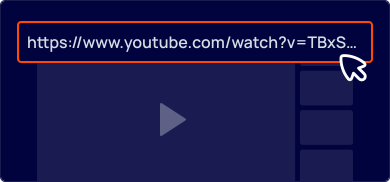
Copy the Video Link
First, navigate to the YouTube video you wish to save. Highlight the full URL in your browser’s address bar and copy it (Ctrl+C).
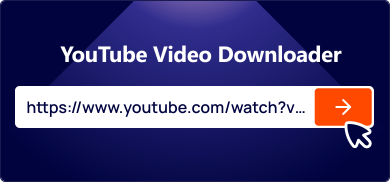
Paste the Link on Our Site
Next, open the Ddown website. Paste the copied URL into the input box at the top of the page.
Download Your File
Choose your desired video quality and format (e.g., MP4, MP3). Click the "Download" button to start saving the file to your device.
Your Go-To YouTube Video Downloader for Any Device
Want to save videos from YouTube but can't find a download button? Ddown provides a simple and effective solution. Our platform is a fast, secure, and intuitive online tool created to help you save your favorite YouTube content directly to your device. Get the videos you want without the usual restrictions.
- Unlimited Free Downloads: Save as many videos as you want. Our YouTube downloader is completely free and has no limits.
- High-Quality MP4 & MP3 Formats: Download videos in various resolutions, including SQ, HD, and Full HD. You can also convert videos to MP3 audio files.
- Works on All Devices: Our online downloader is fully compatible with desktop computers, smartphones, and tablets. No software installation is required.
- Simple to Use: Just copy the YouTube video link, paste it on our site, and choose your format. The process is straightforward and quick.
- Quick and Comprehensive: Enjoy fast download speeds and access the entire library of YouTube videos, all available to save at no cost.
Learn More: Read Our Complete Guide to Master Video Downloading


Key Benefits of Our YouTube Shorts Downloader
Ddown is designed to be the best tool for saving YouTube Shorts. Discover the features that make our service the top choice for fast, high-quality, and secure video downloads.

Save YouTube Shorts in their original high-definition quality. We provide multiple resolution options to fit your needs.
Our downloader has a clean, straightforward interface. No confusing steps—just paste the link and download.
Download videos in MP4 and other formats to ensure they play perfectly on your computer, smartphone, or tablet.
Your privacy is important. We use secure connections to protect your data during every download.
Frequently Asked Questions
