Your Universal Instagram Downloader

Need a fast and reliable way to download content from Instagram? Ddown offers a powerful solution for saving videos, Reels, and photos. Our Instagram downloader is secure, simple to use, and completely FREE. Designed for a seamless experience on both mobile devices and desktop computers, it works perfectly with popular web browsers. For even more convenience, try our browser extension for PC or our dedicated Android app. Start saving your favorite Instagram media today. Find out more about its excellent features below.

windows
apple
android
linux

How to Download Instagram Videos with Our Online Tool

Copy the Video URL

Copy the Video URL

Open Instagram and find the video, Reels, IGTV, or photo you want to save, then copy its URL.

Paste the Link into Ddown

Paste the Link into Ddown

Open the Ddown downloader in your browser and paste the copied link into the input field at the top of the page.
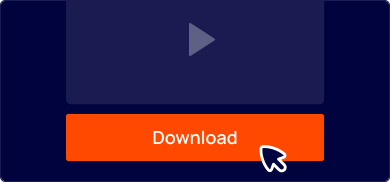
Download Your File

Download Your File

Select your preferred MP4 quality, then click the "Download" button to begin saving the file. All done!

How to Save Instagram Videos Directly from the Address Bar

You can quickly download Instagram videos right from your browser's address bar. Just add a short prefix like "sfrom.net/" or "savefrom.net/" before the Instagram URL.

For example: sfrom.net/https://www.instagram.com/p/Bsyq4yVH8Mh/

Press Enter, and you will be instantly redirected to a page with all available download options. The best possible quality for the video or photo will be selected by default. If you need a different quality, simply choose it from the list and start the download.
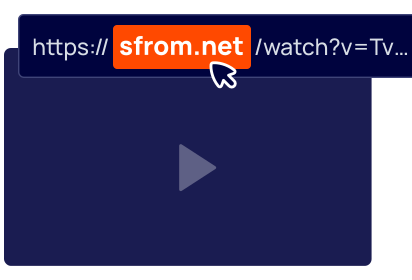
How to Save Instagram Videos Directly from the Address Bar

Frequently Asked Questions

Can I download private Instagram videos? Toggle icon

No, you cannot download private videos from Instagram. Our tool respects user privacy and can only access and download content from public accounts.

If a video or photo is on a private profile, you will not be able to save it using our service.

Where are my downloaded Instagram files saved? Toggle icon
Your downloaded files are typically saved to your operating system's default “Downloads” folder. This applies to Windows, Mac OS, and Linux. You can also check your browser's download history to locate the files.
Do I need to install any software to use this downloader? Toggle icon
No installation is required. Ddown is a fully web-based tool, meaning you can use it directly from any browser without needing to install extra software. We do offer an optional browser extension and Android app for those who want quicker access.
Can I download Instagram Reels and Stories? Toggle icon
Yes, absolutely. Our downloader is versatile and supports saving all types of Instagram content, including standard videos, Reels, IGTV videos, and photos. Simply copy the link for the content you wish to download.
What should I do if the video plays instead of downloading? Toggle icon
This is a common browser behavior. If you click the download link and the video opens in a new tab and starts playing, simply right-click on the video and select the “Save as...” option from the context menu. This will allow you to save the video file to your computer.
Does Ddown store the videos I download? Toggle icon

No, Ddown does not store or host any videos. All media content remains on Instagram's servers.

Our service acts as a search engine that finds and provides you with a direct link to the file on Instagram's server. The download happens directly from their server to your device.

Is it legal to download videos from Instagram? Toggle icon
Downloading videos for personal use is generally considered acceptable. However, any content you download is still protected by copyright. If you plan to re-share, republish, or use the content for commercial purposes, you must get permission from the original creator. You are solely responsible for adhering to copyright laws.
Is the Ddown Instagram downloader free to use? Toggle icon
Yes, our Instagram downloader is 100% free. There are no hidden costs or limits on the number of videos you can download. Feel free to use our service as much as you like.
What video quality can I download? Toggle icon
Our downloader fetches the highest quality available for any given video. The quality of the downloaded file depends on the quality of the original upload. We provide all available formats, most commonly MP4 for video.
Which browsers are compatible with the downloader? Toggle icon
Our web-based tool is designed to work with all modern browsers, including Google Chrome, Mozilla Firefox, Safari, Opera, Microsoft Edge, and other Chromium-based browsers.
Can I use this service on my mobile phone? Toggle icon
Yes, our Instagram downloader is fully compatible with all mobile devices and operating systems, including Android and iOS. Simply open our website in your mobile browser, paste the link, and download.